2026-10-21 · 7 min read · By the Kluvan team
Event ticketing and QR check-in, step by step
How to run registration, tickets, a waitlist and QR check-in for workshops, open days and conferences without a queue at the door or oversold seats.
A training workshop for forty people. A product launch for your best customers. An open day, a conference, a series of evening classes. Running an event is mostly about people, but the part that goes wrong is usually administration: two spreadsheets of registrations that do not agree, seats sold twice, a queue at the door while someone searches a printed list, and an accountant asking a month later which payments belong to which tickets.
None of this needs a big ticketing platform. It needs a clear registration page, tickets that cannot be oversold, a waitlist, a fast door, and a record that finance can trust. This guide walks through each step, from the first draft to the report after the event.
Before you publish: decide five things
1. Ticket types. Most events need one to three: general admission, early bird, a member or student rate, perhaps a VIP type with extras. Each type has its own price (or free), its own number of seats, and a short line saying what it includes. Resist the urge to add more types; every extra type is a question at the door.
2. Capacity. Decide the real number of seats per type, including the space for guests you will invite for free. It is easier to add seats later than to explain to someone why their ticket is not valid.
3. The sales window. When registration opens and closes. Closing sales a day before gives you time to print badges and brief the door team.
4. Tax. If tickets carry VAT or another sales tax where you are, decide whether your prices include it or add it on top, and which ticket types it applies to. A free ticket carries no tax; a paid workshop usually does.
5. Your refund policy. Write it down before you sell anything: until when people can cancel, and whether you refund in full, in part or not at all. Put it on the registration page.
A registration page people finish
People abandon registration forms that ask too much. Ask for a name, an e-mail address and a phone number if you need it, and nothing else unless it really matters. Add a clear box for consent to marketing messages, unticked by default; attendees who tick it can hear about your next event, and those who do not are not added to your lists.
Make the page work on a phone, show the date, time and place clearly, and if your audience reads more than one language, publish the description in both. Then share the link everywhere: your website, e-mail, social media, and as a QR code on posters and flyers.
Never oversell, even when demand spikes
The moment you announce a popular event, many people try to register at once. A system that checks "are seats left?" and then sells a ticket a second later will occasionally sell the same last seat twice. The fix is to hold a seat for a buyer while they pay, and count held seats as taken. If they do not finish paying within the hold time, the seat is released for the next person.
For paid events, issue the ticket only when the payment provider confirms the payment. A ticket issued on a promise of payment is a refund problem waiting to happen.
A waitlist that fills itself
When an event sells out, do not just close it: open a waitlist. People cancel, holds expire, or you find room for ten more chairs. Each freed seat should be offered automatically to the next person in line, with a limited time to accept, for example 24 hours, before it moves on. A waitlist that someone has to work by hand on the morning of the event rarely gets worked at all.
A fast door
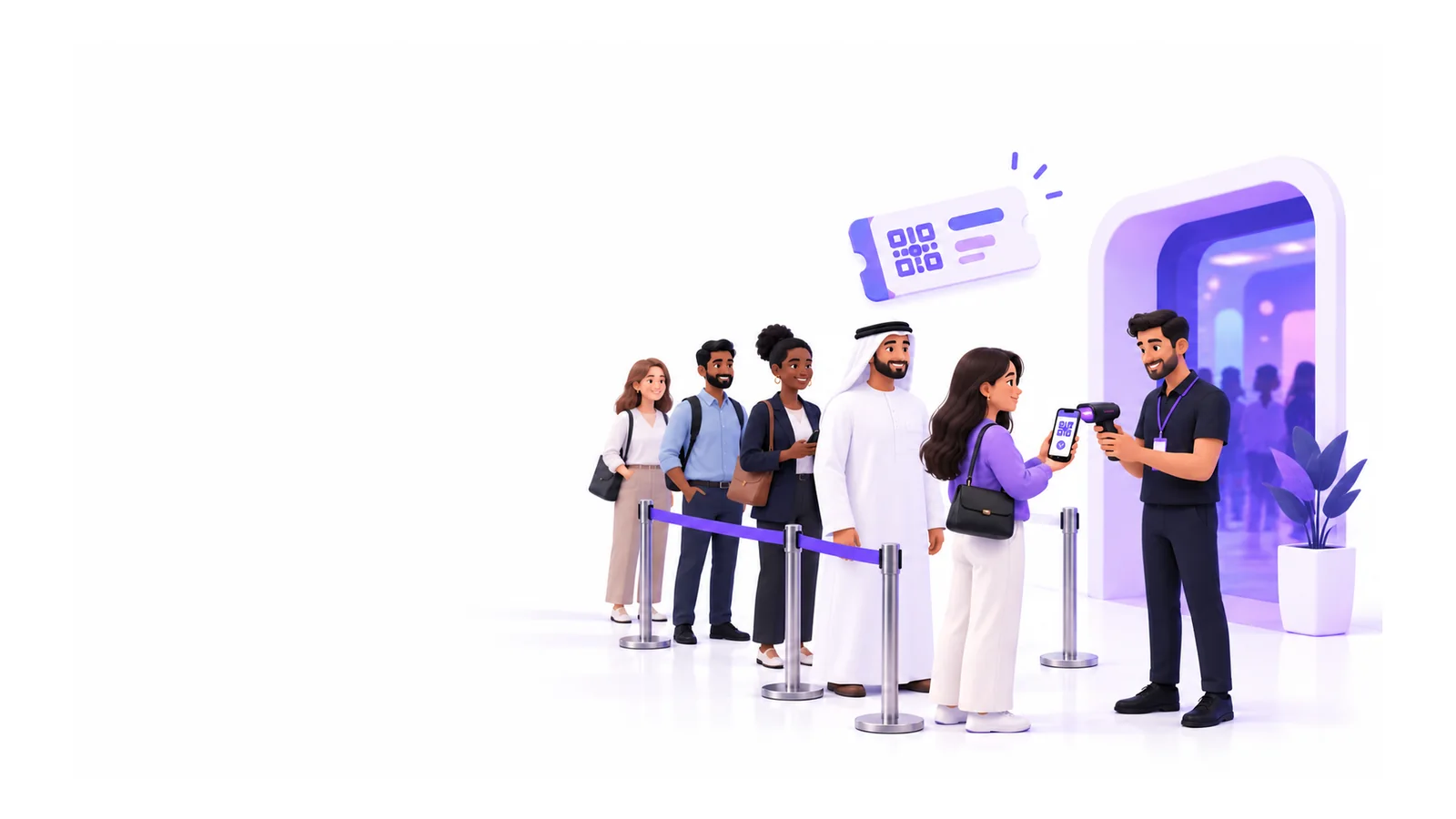
The door is where attendees form their first impression. Three things make it fast:
- A QR code on every ticket, sent by e-mail and easy to show on a phone.
- Any staff phone as a scanner. No special hardware, no laptop on a folding table. Several people can scan at once without letting the same ticket in twice.
- A short code under the QR, for the attendee with a cracked screen or a dead battery, plus a way to find people by name.
Brief the door team on the three answers they will see: valid, already checked in (with when and by whom), or not let in, with the reason. Have one person at the door who can resend a ticket or add a last-minute guest.
Guests, cancellations and refunds
Plan for the exceptions before the day:
- Guests: speakers, partners and VIPs get free tickets you add yourself, even of a type that is no longer on sale.
- Cancellations: free and unpaid orders can simply be cancelled, which frees the seats for the waitlist.
- Refunds: paid orders go back through a refund, so the money and your accounts stay in step. Each refund should produce a credit note, not just a bank transfer nobody can explain later.
- A cancelled event: tell every attendee by e-mail with the reason, and work through the list of paid orders that still need a refund.
After the event: a report finance can trust
Within a day of the event, look at tickets sold per type, check-ins and no-shows, refunds, the waitlist, and how many attendees agreed to hear from you again. No-shows tell you how much to overbook next time, especially for free events, where a large share of registrations often stays away.
For finance, every paid order should already be an invoice in your books, and every refund a credit note. If the event revenue has to be rebuilt from payment-provider exports, something in the setup was missing.
How to do it in Kluvan
Events & ticketing covers the steps above, from the draft event to the report. Kluvan runs online with nothing to install: attendees register in any browser, and door staff scan tickets with their phone's camera.
- Create the event and its ticket types. An event starts as a draft with a venue or an online link, start and end, an optional sales window and ticket types with price, VAT, capacity and the most per order. Titles and descriptions can have an Arabic version beside the English one. See create an event and its ticket types.
- Publish and share. Publish the registration page and share its link or QR code. Attendees become contacts, and join your marketing lists only when they tick the consent box. See publish and share the registration page.
- Exact seats. Each ticket type counts what is sold and what is held during a payment, and never sells more than its capacity, even when many people register at once.
- Paid tickets. Connect your organisation's own payment provider; tickets are issued only when the provider confirms the payment, and each paid order creates a tax invoice in Books. Paid tickets and refunds through the provider are in early access today. See sell paid tickets.
- Waitlist. Freed seats are offered by e-mail to the first person in line who fits, held for the hours you set.
- Check-in at the door. Door staff open Events → Check-in on their phone, scan the QR code or type the 8-character door code, and select Check in. Door staff can use field or restricted seats, so they need no full seat. See check people in at the door.
- Attendees and guests. Search the list, send tickets again by e-mail or open a ready WhatsApp message to send from your own phone, add guests and export a CSV. See manage attendees, guests and the waitlist.
- Reports. Tickets, check-ins, no-shows, refunds, the waitlist and consents per event, and revenue across events for finance.
The door opens for scanning 6 hours before the start and closes 6 hours after the end. Reminder e-mails go out the hours before the start that you choose. A cancelled event's paid orders are listed for refund rather than refunded automatically, so finance stays in control. Events is sold on its own and comes with Kluvan One; see pricing.
If you promote events from your own website, our post on a small business website that turns visits into leads shows how to collect enquiries alongside registrations. And for the bigger picture of how one record follows a customer from first contact to payment, read what a connected business looks like.
Run your next small event, even a free one, with QR tickets and a waitlist. The calm at the door is worth it.